Harvester UI · Developed by us
Alert receivers can pick their secrets again, on the updated Rancher UI library
When setting up where Harvester sends alerts (Slack, email, PagerDuty, Opsgenie, webhook), the secret dropdowns listed only "None", so a receiver could not point at its webhook or password secret. We updated the shared Rancher UI library that Harvester's UI is built on, which fixes this, and we fixed everything the update would have broken.
Merged
PR 1208 ↗
Issue 8520 ↗
PR 1207 (probe, closed) ↗
Dashboard PR 19677 ↗
Dashboard PR 19679 ↗
Dashboard PR 19684 ↗
What changes for the user
- In Monitoring & Logging, the alert receiver secret dropdowns list the secrets of the namespace instead of only "None" (support case SURE-10231).
- A receiver can be saved with its webhook secret and key from the form, with no YAML editing.
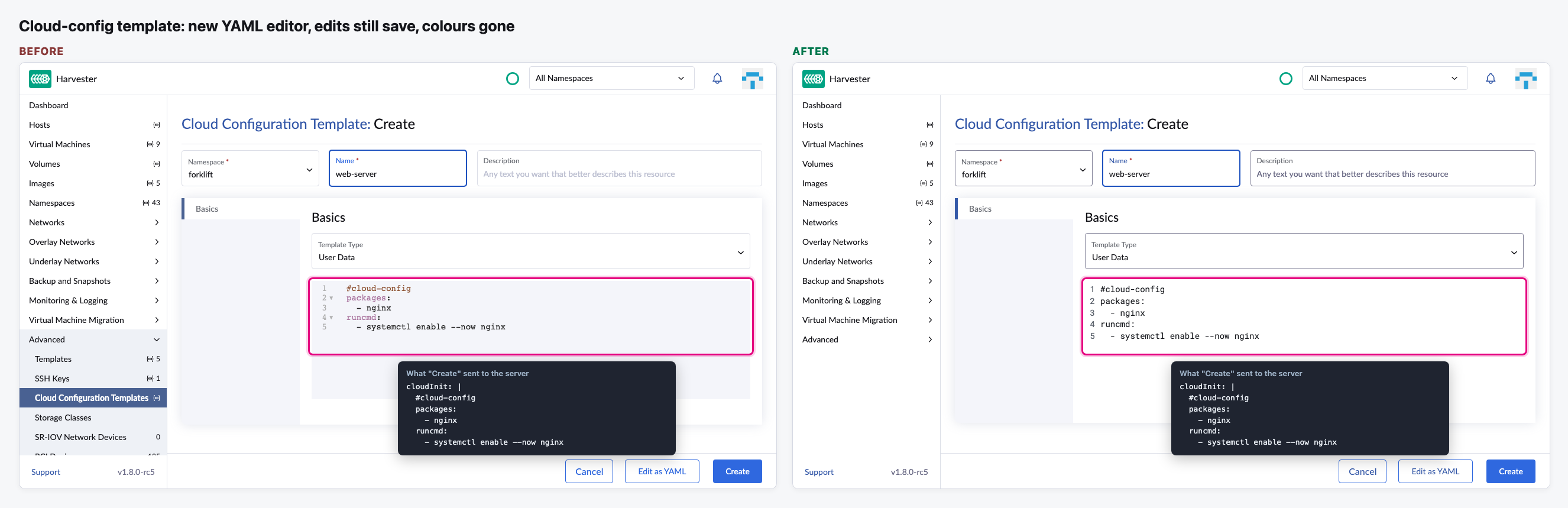
- The YAML editors are now the new editor from Rancher. They keep their size and edits save as before, but they no longer colour the YAML or show the fold arrows.
- Everything else looks and works as before: we found and fixed 7 things the update would have broken before it was released (see Notes).
Needs a decision
- Fix the missing YAML colours and fold arrows in a small follow-up PR? We found this while making this page. It is in main now.
- Bring the secret fix to Harvester v1.9 / v1.8? So far it is only in main (v1.10). It needs the library update or a one-line patch, as in the closed probe PR 1207.
The flow
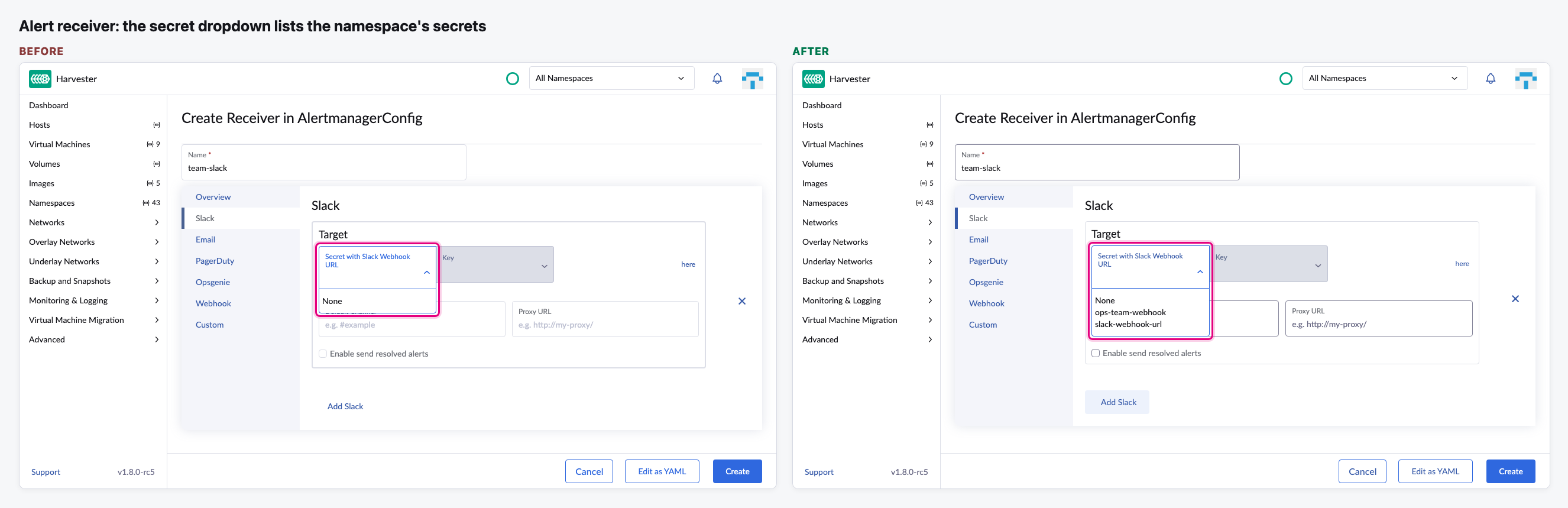
Choose the secret for an alert receiver
The namespace has two secrets. Before, the dropdown showed only "None". Now it lists both.
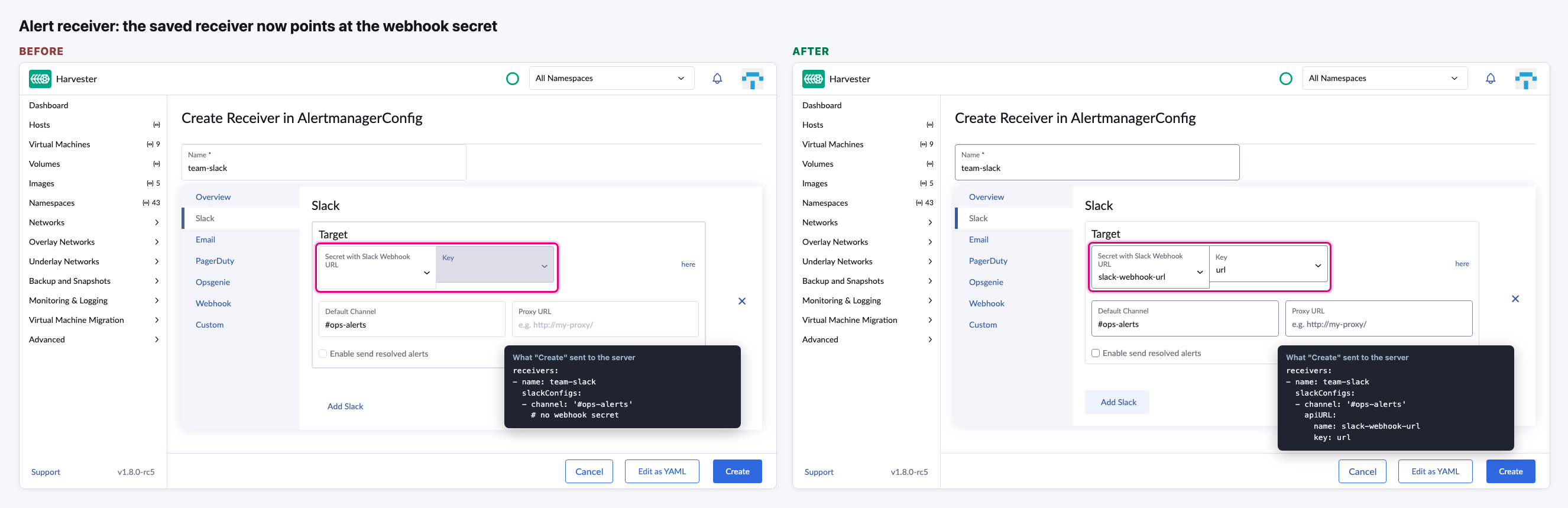
Save the receiver
After picking the secret and its key, "Create" saves them with the receiver.
The YAML editors are the new Rancher editor
Typing and saving work the same, but the YAML colours and the fold arrows are gone.
Video (optional)
0:00 Before: only "None" in the secret dropdown · 0:20 After: pick the secret and key, then Create
Notes
- We also caught and fixed 7 things the library update would have broken before it was released, so users never saw them: cloud-config template edits not being saved, YAML editors shrinking to their text, invalid IP ranges (like 10.1/16) being accepted in the VM migration, RWX and storage network settings, Enter in a VM migration wizard field jumping back to step 1, the "created" message missing after a restore, upgrade or image upload, the file selector buttons losing their look, and the Images list showing no rows in the standalone UI.
- Three of those came from the Rancher UI itself, so we fixed them there too (dashboard PRs 19677, 19679 and 19684). Once a Rancher UI release includes them, the Harvester workarounds can go.
- Our first try at the secret fix was a one-line patch to the library (PR 1207). We closed it and took the full update instead.
- Issue 8520 is still open for QA to verify on v1.10.